
Sites Overview is the landing page of the Nextgen portal and the first screen you see after logging in.
You can navigate back to it at any time by selecting Sites on the Directory panel on the left hand side of your screen.
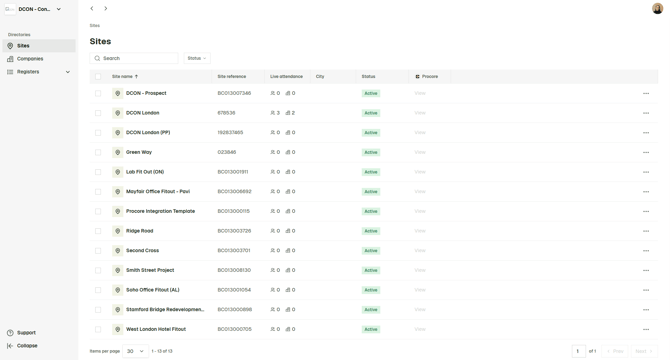
From Sites Overview, you can:
- View all projects you have visibility of (visibility depends on your user permissions)
- See a real-time summary of who is currently checked into each project (at worker and company level)
- Access the linked project directly in Procore (if applicable)
Note: If you cannot see a project, you may not have permission to access it. Contact your company administrator if required.
Project Actions
To access additional options for a project, click the three dots (⋯) on the right-hand side of the project row.
From here you can:
- Access relevant QR codes
- Archive the project
Important: Archiving a project will remove it from yours and others' active view. Ensure the project is no longer required before archiving.
View more for a select project
To open a project, click directly on the project name.
Within a project, you can view the following and their statuses:
-
Workers on site
-
Companies on site
-
Submitted inductions/orientations
-
Cards
-
Permits
-
Forms
- Company Documents