
Onboarding a subcontractor company allows you to:
-
Request they upload RAMS, JHAs, or other company documents.
-
Share the offsite QR code with them so they can distribute it to their workers. This allows workers to submit induction/orientation information before arriving on site.
How to onboard a company in Breadcrumb
-
Go to your Sites Overview page and select the relevant site.
-
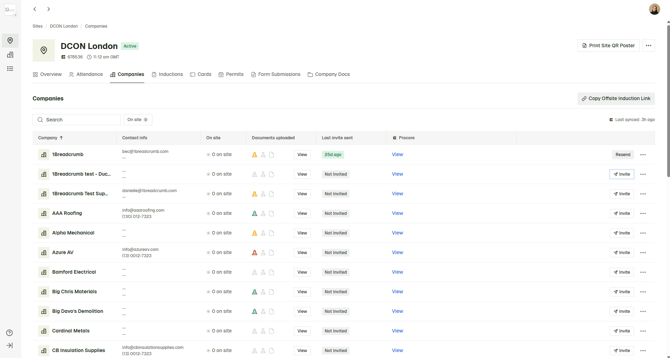
Navigate to the Companies tab.
-
Find the supplier you want to onboard and click Invite on the right-hand side.
-
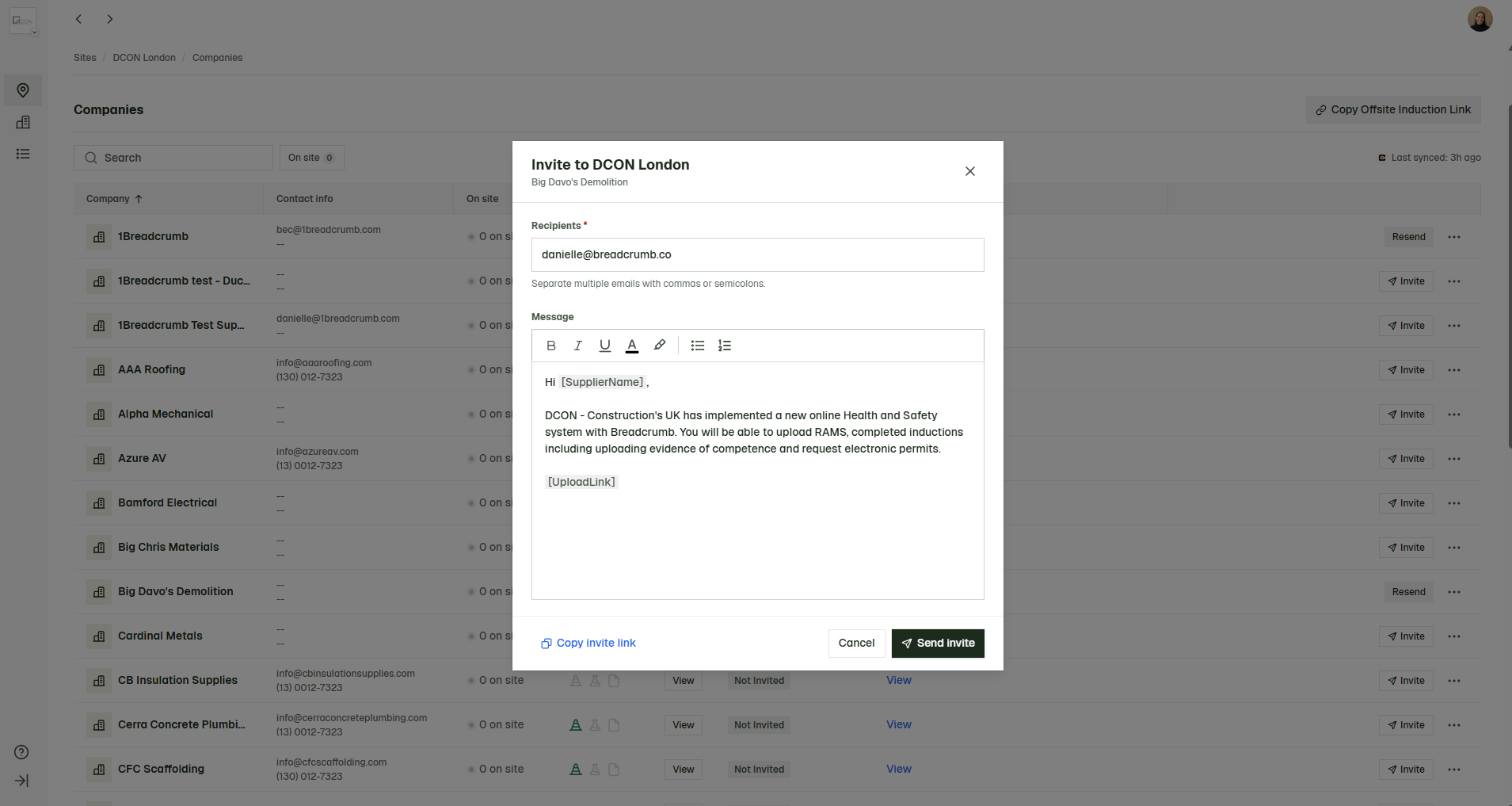
Review the email content in the popup.
-
Click Send Invite when ready.
Tips
-
You can update the automatically filled email address if there is a more appropriate contact to send the invite to.
-
You can add multiple recipients by separating email addresses with a comma or semicolon.
-
The subcontractor company name and site-specific details will automatically populate when the email is sent, so you do not need to update these manually.