How to approve a permit application
-
Go to the Approvals page and select the relevant permit from the list of outstanding approvals by clicking on the Permit Name.
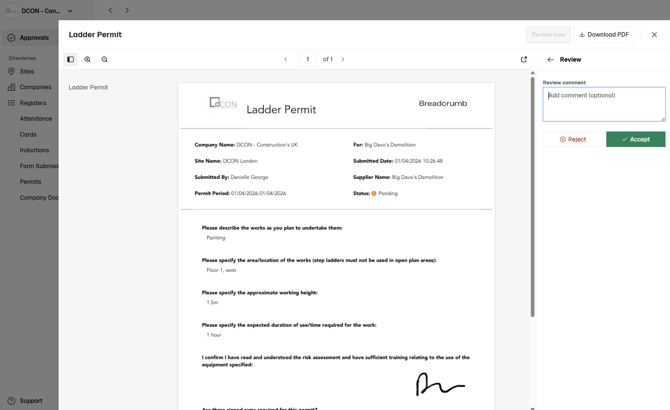
- From here a popup will appear. In the top right hand corner, select the Review Now button.
- From there you can Accept or Reject, adding comments if required.