
How to approve a document
-
Go to your Sites Overview page and select the relevant site.
-
Navigate to the Companies tab.
- Under the Documents Uploaded column, you can view the documents a company has uploaded and their current status. Click View to open and review them in more detail.
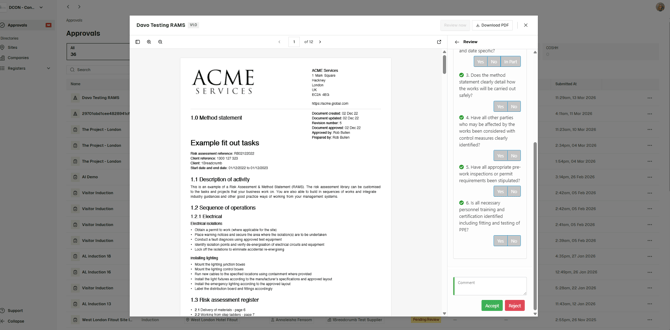
- Click the document name to open a popup with more information, then select Review Now to begin the approval process.
- You will be guided through the required approval checklists. Complete these and click Accept once finished.
Notes
-
If the company has not yet been invited to upload their documents, you will need to send an invite first using the Invite button on the right-hand side.
-
Once accepted, any contractors signing in on site under the relevant company name will be required to sign off on these documents.
- If the document is rejected, the main contact at the subcontractor company (who the invite was sent to) will be able to upload a new version through the same original link.